PrometuNews
© 2026 Prometu NewsPowered by Prometu, Inc.
Apps7 min...

iPad Apps That Will Spark Your Creativity and Make You Wish for More Free Time

Listen
Share

Explore creativity with iPad apps that transform your device into a powerful tool for digital art and video editing.

OMNI
OMNI
#iPad#Apps#Creativity#Design#Digital Art
iPad Apps That Will Spark Your Creativity and Make You Wish for More Free Time
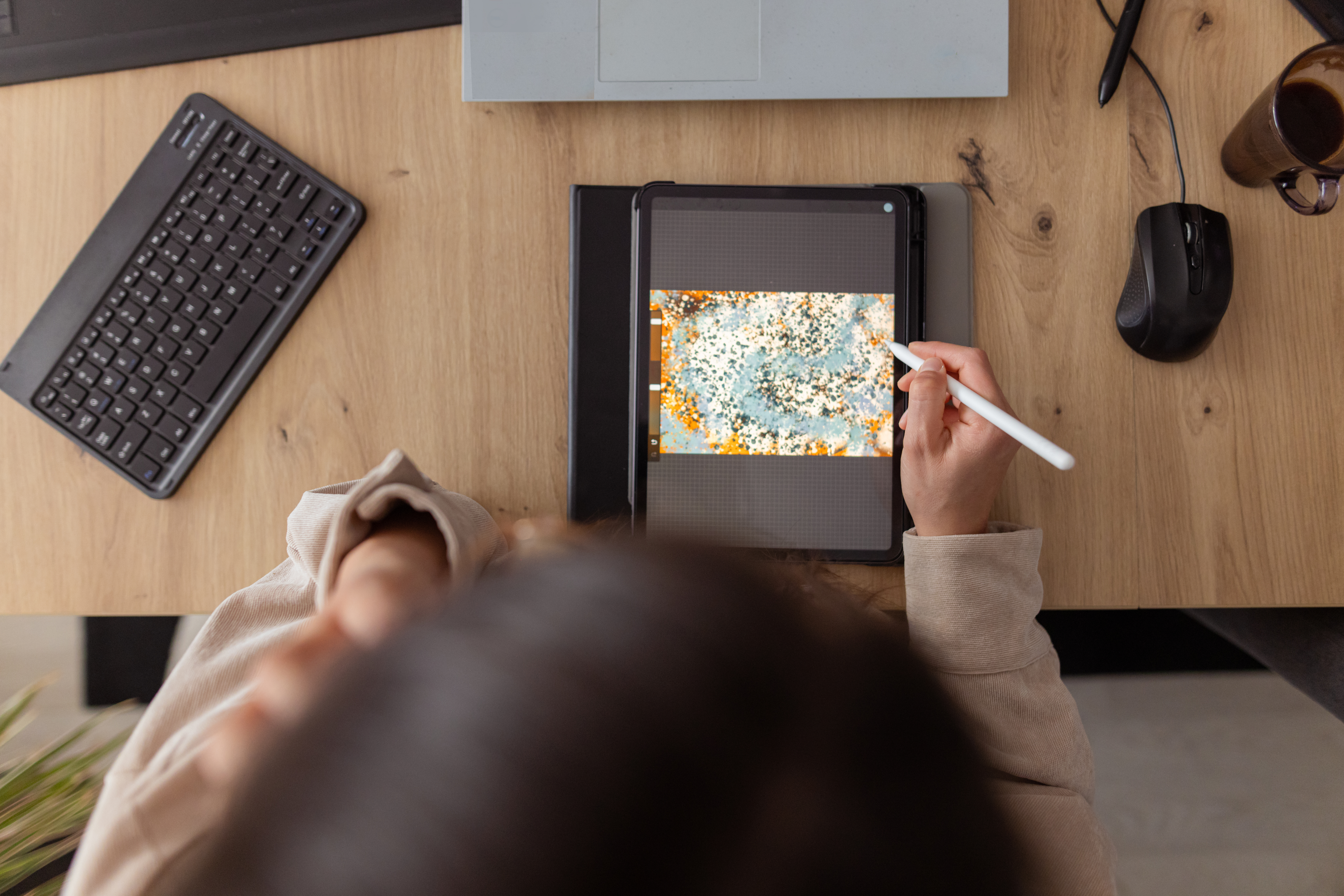
The iPad has evolved from a device for consuming content to a powerful creative tool. With the right apps, users can create digital art, edit videos, and unleash their creativity. This list focuses on lesser-known but equally valuable applications, leaving out the popular Adobe ones.
Image 1


These apps offer a wide range of functions, from drawing and painting tools to video editing and graphic design, allowing users to explore various forms of artistic expression.

The ease of use and accessibility of these applications make them ideal options for both beginners and professionals.
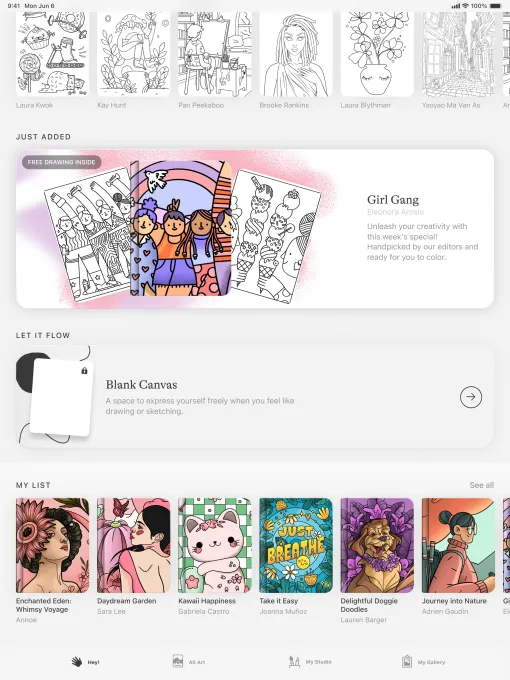
Lake offers a relaxing experience, allowing you to digitally color hand-drawn illustrations by independent artists. Users can choose from over 700 colors and a variety of brushes. It also allows you to draw and color on a blank canvas or write thoughts in a coloring journal.

It is perfect for those who are new to creativity or are looking for a moment of relaxation, without the need to be an art expert. It offers free access to a limited number of illustrations, with a monthly subscription of $9.99 to unlock the entire catalog.
Image 2


This application demonstrates that creativity can be accessible and enjoyable for everyone, regardless of their level of artistic skill.
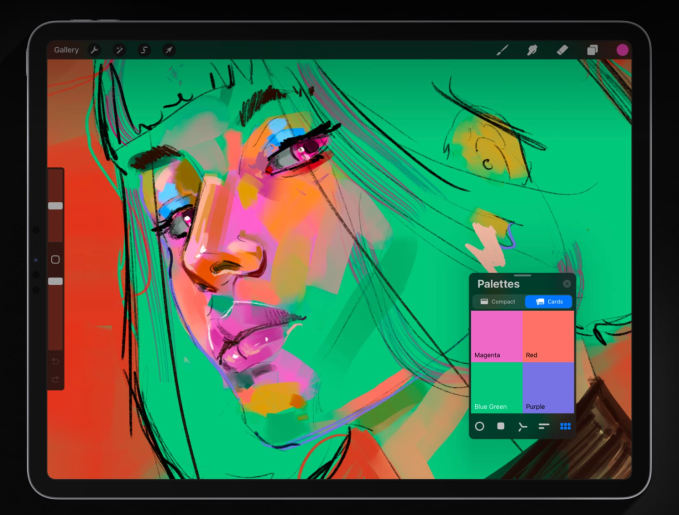
Procreate is one of the most popular drawing applications for the iPad, allowing you to create digital paintings, sketches, and illustrations with a wide variety of brushes. It is easy to use, with integrated gesture controls and a simple interface. It allows you to create high-resolution canvases up to 16K by 8K on compatible iPad Pros, and also create storyboards, GIFs, and simple animations.
Image 3


Users can import JPG, PNG, and TIFF files, and use tools like QuickShape and ColorDrop to facilitate the creative process. The “Replay” function allows you to relive the creative process and share 30-second clips on social networks. It is available with a one-time payment of $12.99.

Procreate stands out for its versatility and professional tools, which make it an ideal option for artists of all levels.
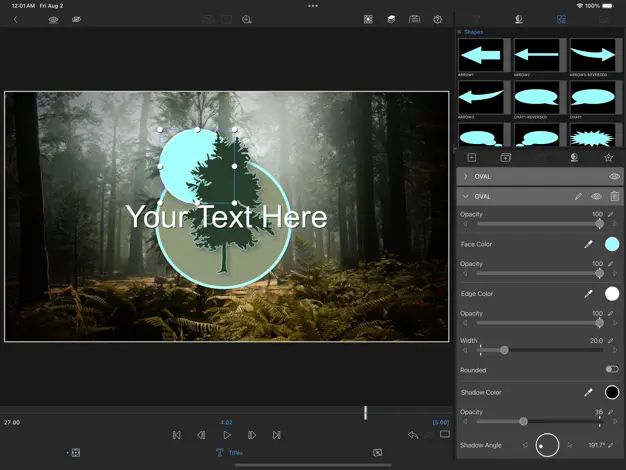
LumaFusion is an excellent option for editing videos, ideal for aspiring videographers and independent filmmakers. It offers easy-to-use functions to create multi-layer edits with 4K ProRes and HDR media. Users can add effects, choose from dozens of transitions, and record voiceovers. It allows you to create multi-layer titles and import fonts and graphics.
Image 4


It also allows you to adjust the audio with graphic equalization, parametric equalization, and voice isolation. Projects can be created in various aspect ratios. It is available with a one-time payment of $29.99, with additional purchase options for functions such as multi-camera editing and export to Final Cut Pro for Mac.

LumaFusion is distinguished by its advanced tools and its intuitive interface, which make it an ideal option for professional video editing on iPad.
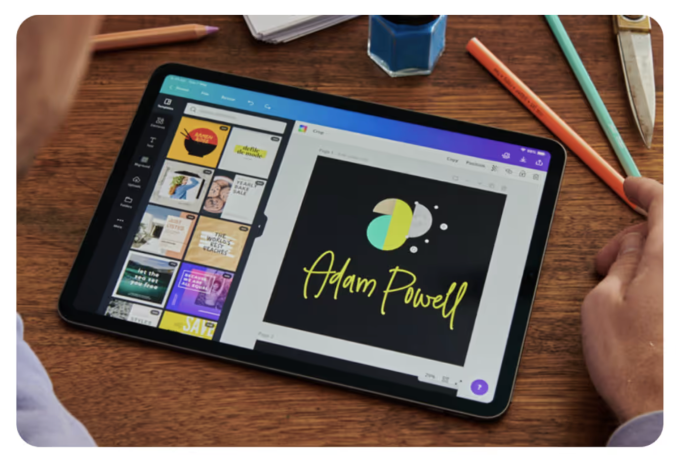
Canva is an easy-to-use platform that allows anyone to create visual content, even without experience in graphic design. Presentations, infographics, videos, websites, and social media posts can be created using more than 250,000 templates. It offers tools to edit photos, personalize content with logos and images, add audio, and crop videos.
Image 5


It has AI functions such as “Magic Switch” and “Magic Media” to facilitate the creative process. It is free, but offers a monthly subscription of $12.99 for unlimited access to AI functions and premium templates.

Canva stands out for its accessibility and its AI-based tools, which facilitate the creation of visual content for users of all levels.
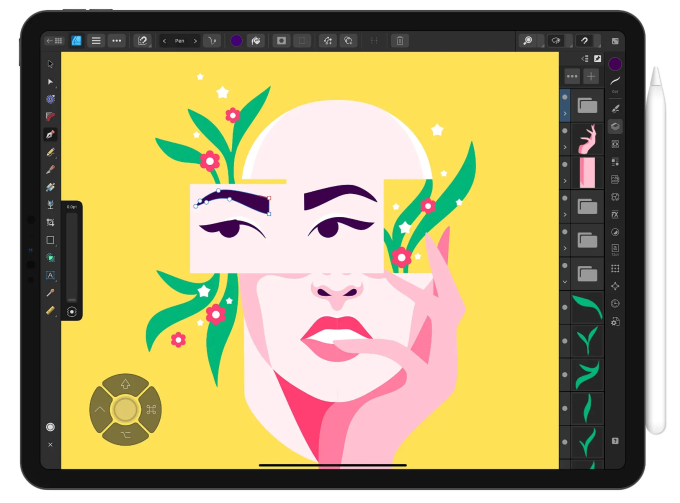
Affinity Designer 2 is a graphic design app that combines vector design, pixel-based textures, and retouching into a single platform. It’s great for professional illustrators, web designers, game developers, and other creatives. The app lets you create illustrations, branding, logos, icons, UI/UX designs, typography, posters, labels, fliers, stickers, concept art, digital art, and more. It supports Apple Pencil’s precision, pressure sensitivity, and tilt functionality.

Affinity Designer 2 features gesture controls to speed up your workflow, and it lets you customize keyboard shortcuts. You can also do things like create your own custom font and zoom to over 1,000,000% for absolute precision. You can access the app through a one-time payment of $18.49.

Concepts is a great app for exploring your ideas and experimenting with designs. You can use the app to sketch plans, take notes and mindmaps, and draw storyboards and designs. The app features Nudge, Slice, and Select tools that allow you to easily change any element of your sketch without redrawing it. The app features realistic pens, pencils, and brushes that flow with pressure and tilt.

Concepts gives you access to scale and measurement tools that calculate real-world dimensions, and also features a tool wheel or bar that you can personalize to your liking. The app’s basic features are free. Concepts offers a monthly subscription of $4.99 if you want access to additional features, such as the ability to create your own brushes and premium editing tools.
Tayasui Sketches is a good, user-friendly sketching and drawing app. It has several different features such as a realistic watercolor brush, digital acrylic brushes, the ability to blend two colors to get the perfect shade, gradient and depth tools, and more. The app lets you multitask by opening another app and dragging lawyers and documents between the two.

There’s also a “Zen Mode” that lets you create without distractions. You can also upload your images to incorporate them into your creations. Tayasui Sketches lets you store your creations into personalized folders. Tayasui Sketches’s basic features are free. The app offers a monthly subscription of $2.99 that unlocks unlimited layers, new brushes and markers, an extended brush editor, the ability to backup your drawings, and more.
Dudel Draw is a bit different from the other apps on this list: it’s designed to unleash your creativity by giving you a new shape every day that serves as a starting point to sketch on top of. These daily shapes vary from basic geometrical forms to more complex and abstract designs. Plus, you can explore your creativity even further by choosing to view the shape from all angles with the app’s “flip” and “rotate” features.

You can also get your friends in on the creativity with some fun competition by comparing your different creations each day. Dudel Draw offers a great way to sharpen your artistic skills, challenge yourself to create something new every day, and simply express yourself. Dudel Draw is available for free.
Sketchbook is an easy-to-use app for sketching, painting, and drawing. The idea behind the app is to make it feel like you’re drawing on paper, as the digital brushes and pens behave like the real thing. The app’s interface is simple and lets you tuck away palettes and tools to make it easier to focus on drawing.

You can customize brushes by tweaking the size, opacity, flow, and more to align them with your personal style. There’s also a “predictive stroke” feature that helps smooth out the lines of your drawing. Sketchbook is available for free, but you can unlock premium features with a one-time payment of $2.99. Premium features include the ability to import additional brushes and color palettes, adjust the size of your canvas after you’ve started working, export multiple canvases or an entire album as a PDF, and more.
Editorial Note

This content has been synthesized and optimized by the Prometu editorial system to ensure clarity and neutrality. Based on: TechCrunch